Hello! This evening we’re going to discuss data structures, functions, and how we can utilize them together in Python to manage and manipulate data.
Data structures are various forms of data encapsulated in a structured manner. These are commonly found within; lists, dictionaries, tuples, sets, and arrays. There are several reasons why we might utilize a data structure; lists are commonly used when you may need to order the elements, when you may need to manipulate the elements, or when you need to add/remove from the list of elements, to name a few.
Functions are essentially blocks of code that are executable from within the main expression. There are many benefits to utilizing functions within your code a few of these include; readability, following the DRY (don’t repeat yourself) pattern meaning it is reusable code, and the ability to easily pass and return parameters and arguments between the caller and function being called.
Below are several examples using simple global variables, functions, lists, dictionaries, and tuples.
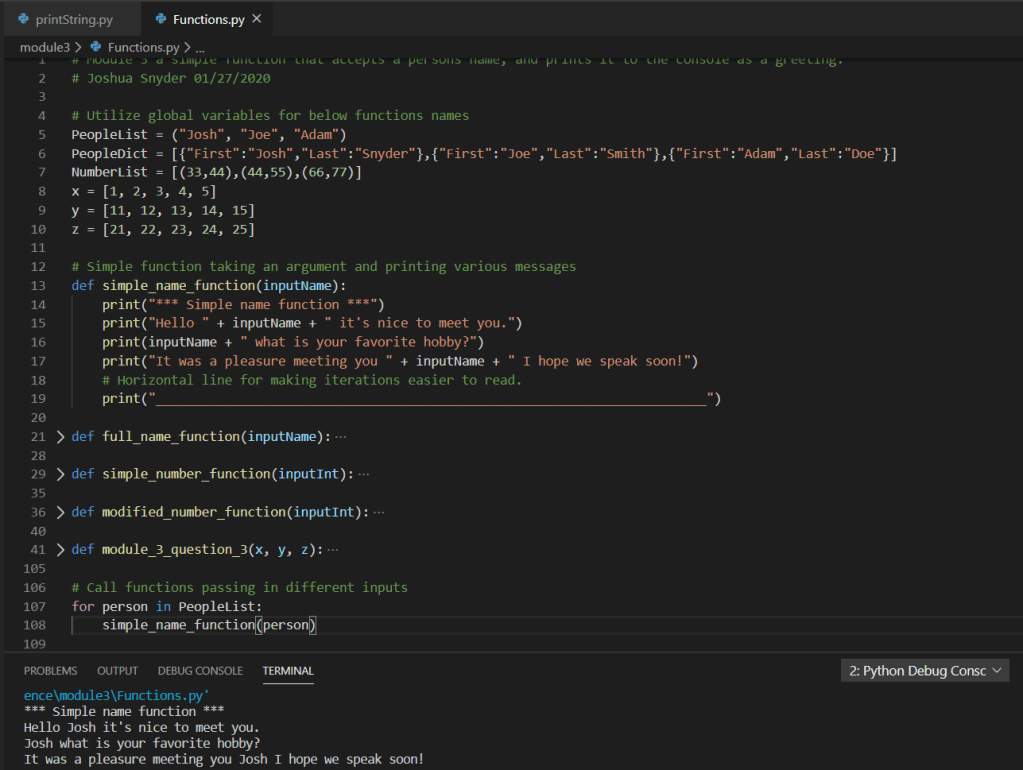
Example 1 simple_name_function: In this function we are accepting an argument of type person which is simply a string element, of the PeopleList list object defined as a global variable above. We can view the output of the function in the terminal window below as well.
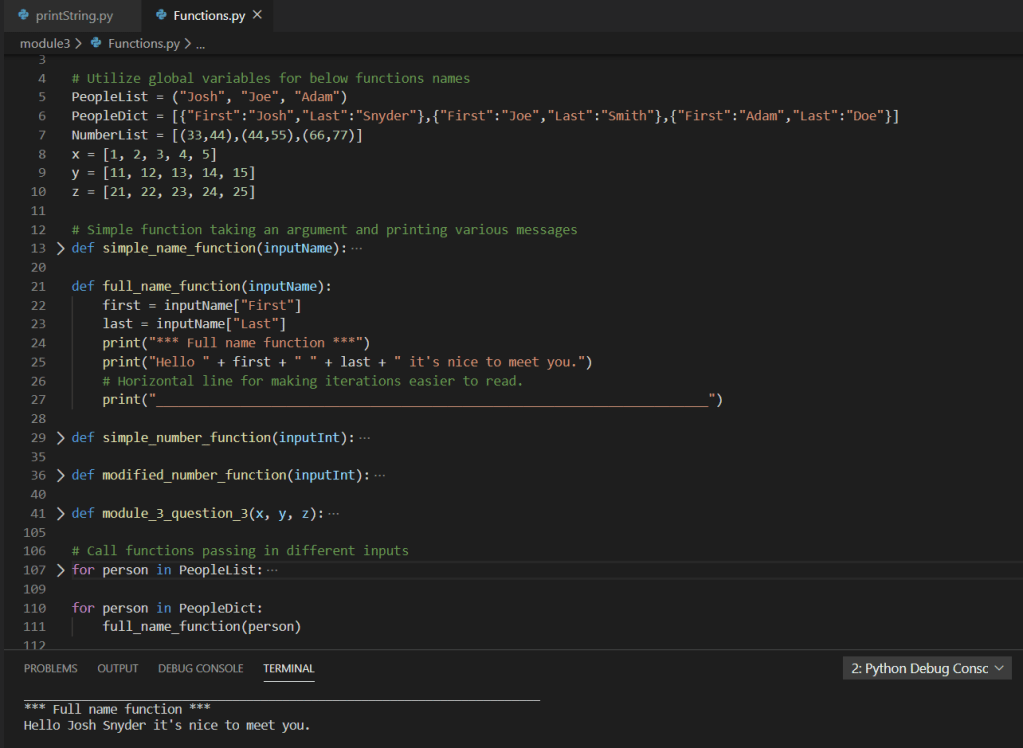
Example 2 full_name_function: In this function we are accepting an argument of type person which is a key/pair object element, of the PeopleDict dictionary object defined as a global variable above. We can view the output of the function in the terminal window below as well.
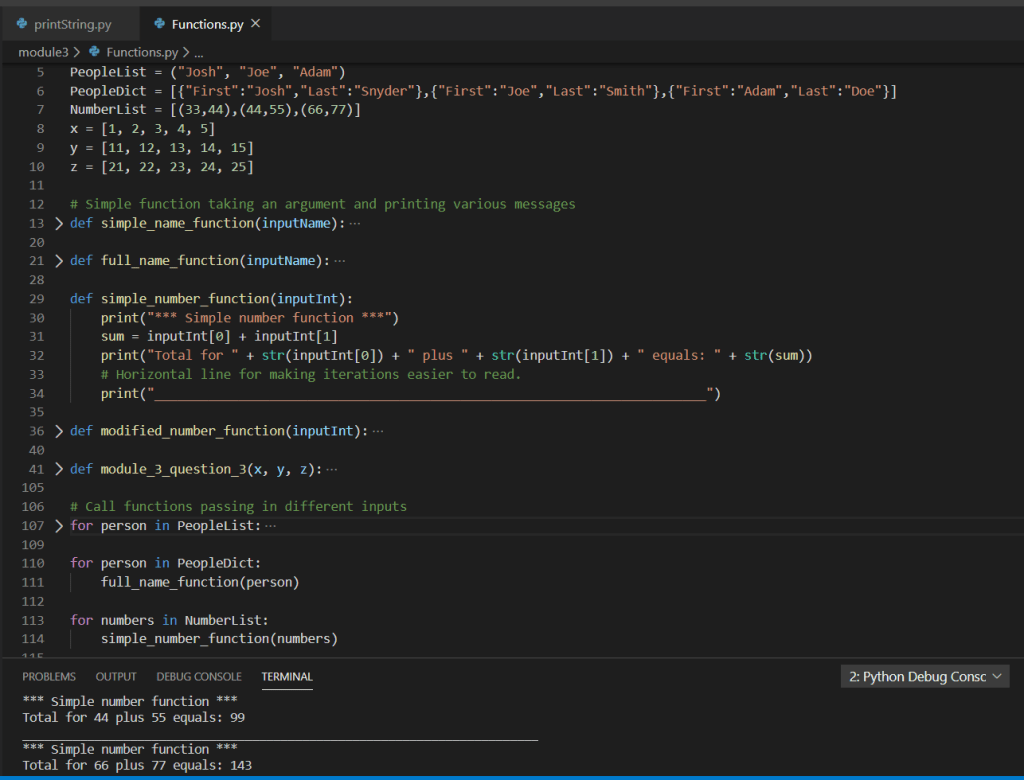
Example 3 simple_number_function: In this function we are accepting an argument of type numbers which is a tuple object element, of the NumberList tuple object defined as a global variable above. We can view the output of the function in the terminal window below as well.
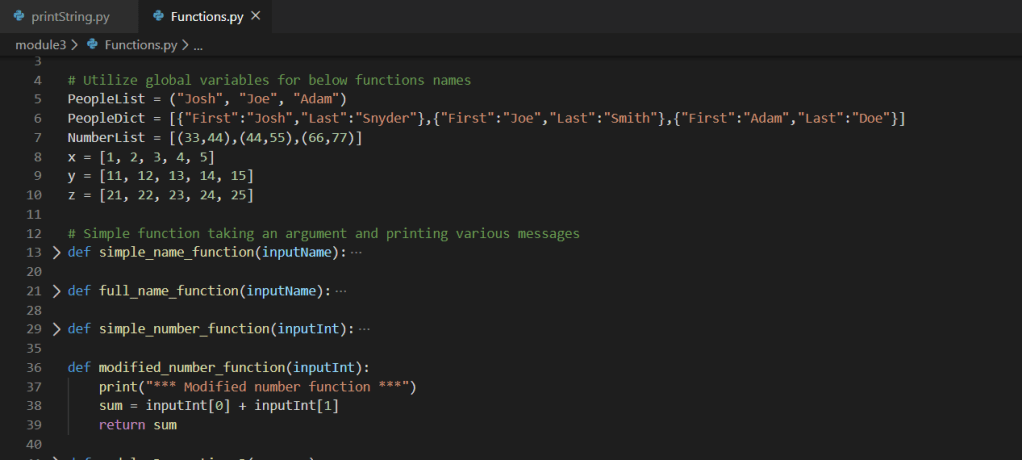
Example 4 modified_number_function: In this function we are accepting an argument of type numbers which is a tuple object element, of the NumberList tuple object defined as a global variable above. We then add these two numbers together and return them to the caller, where the result is printed. We can view the output of the function in the terminal window below as well.

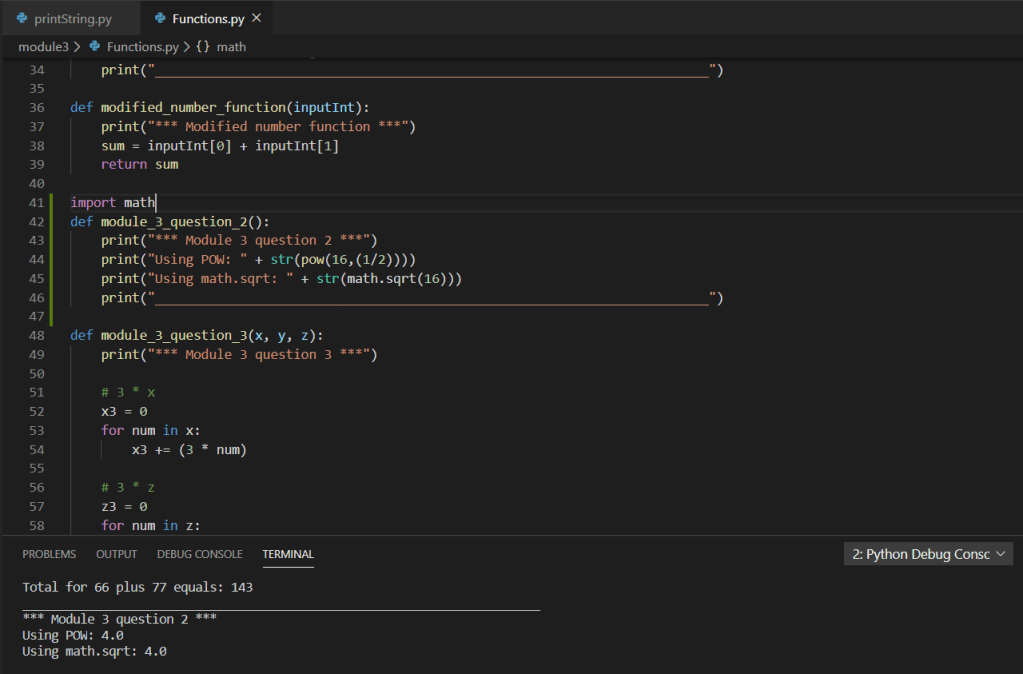
Example 5 module_3_question_2: In this function we are utilizing one of the many built-in functions supplied by the Python library; POW(). Which is intended to calculate the power of a number(s). While this is intended to return the square root of 16, a better solution would be to utilize the extension method of the math library; math.sqrt(). Both examples are shown below.
Example 6 module_3_question_3:
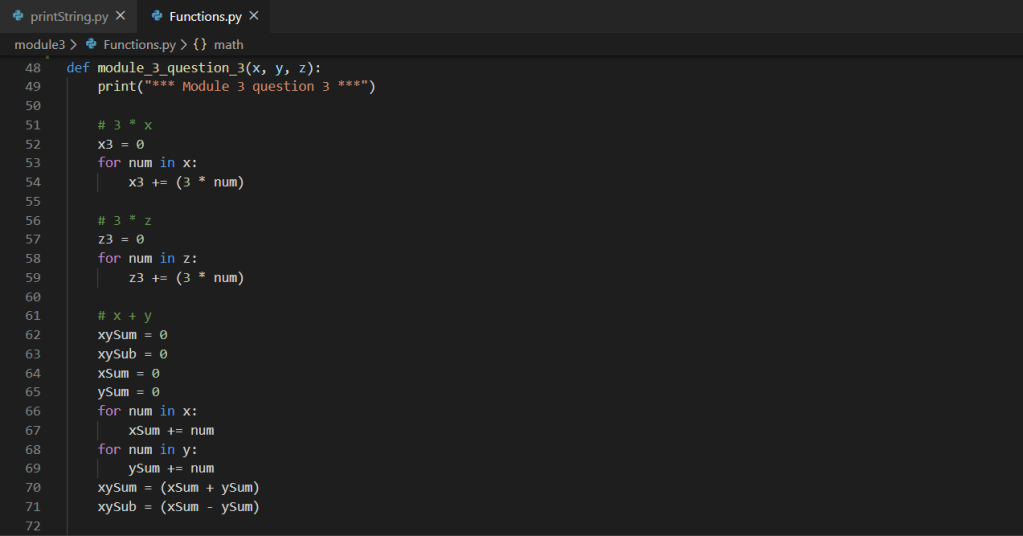
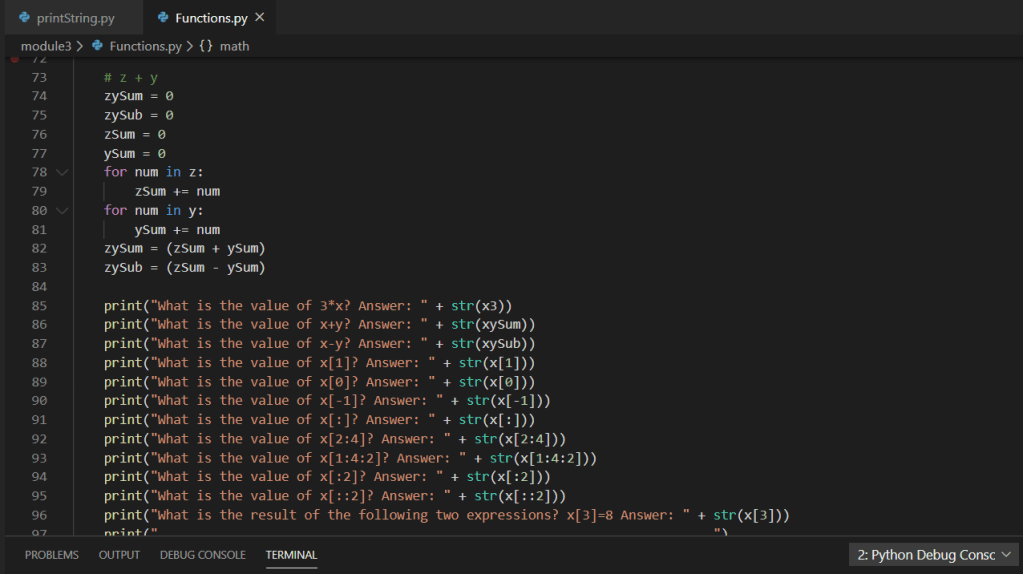
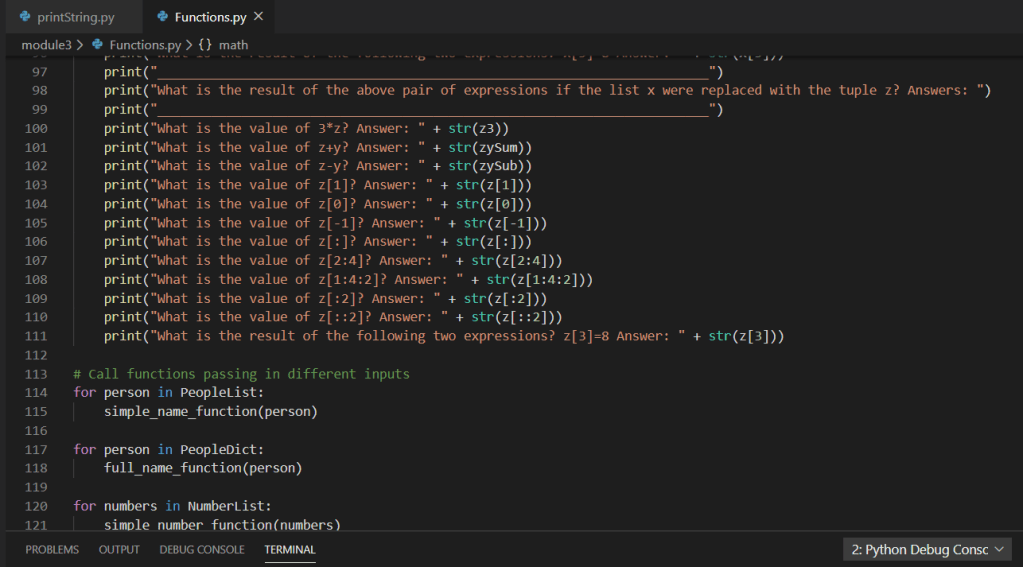
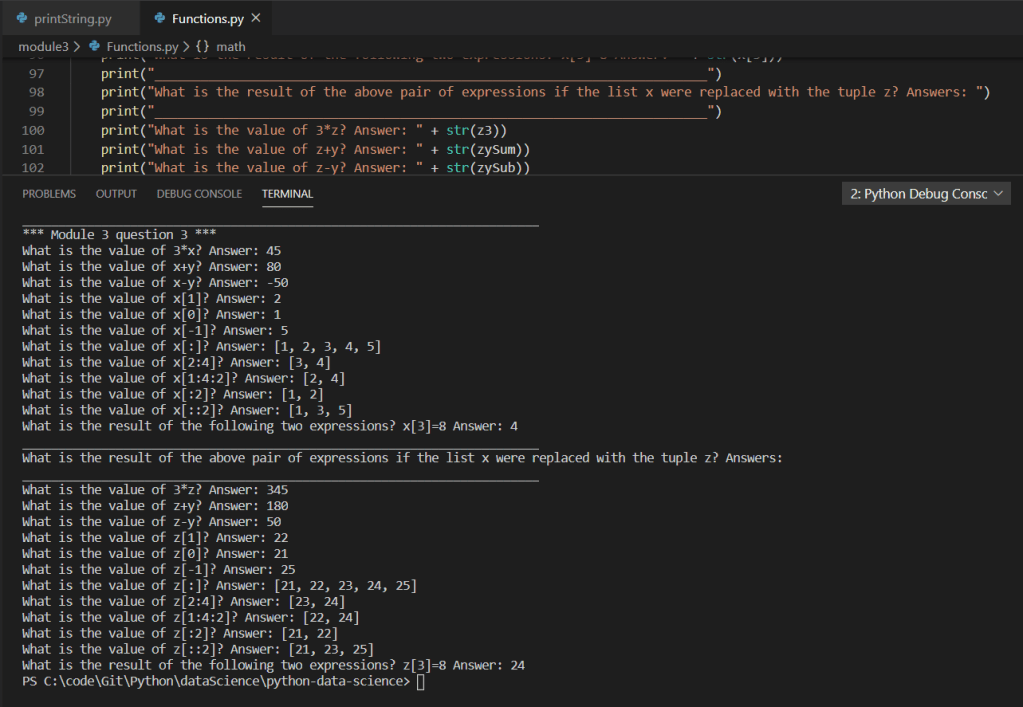
For a copy of this particular example feel free to see my GitHub repo:
https://github.com/joshsnyder/python-data-science/blob/develop/module3/Functions.py
 Josh's Data Science Blog