Hello and welcome to this weeks blog post. Today we’re going to discuss unit tests, why we unit test, and how to perform simple unit tests leveraging the unittest module library.
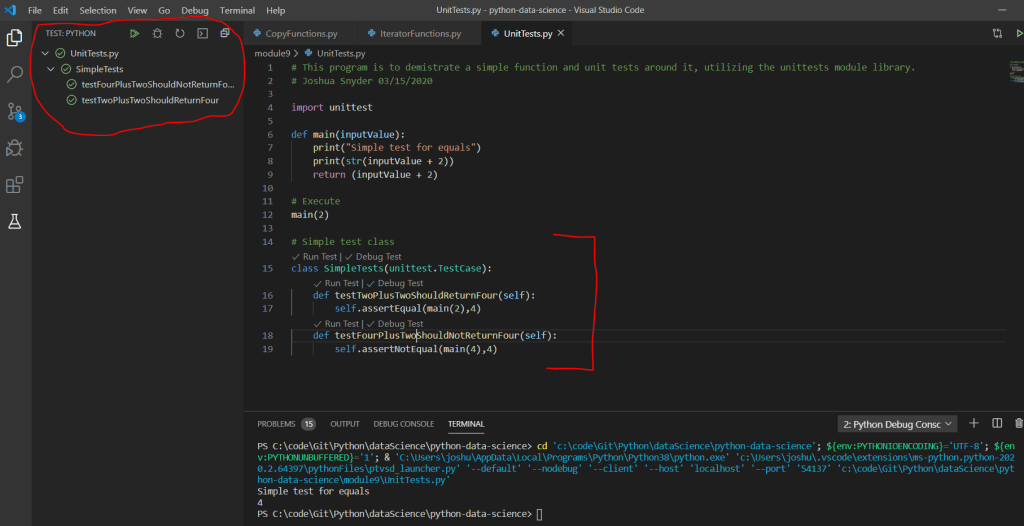
Unit Testing is essential in ensuring your code is working as expected. Sure you can run your code during and after development, but unit tests offer more robust ways to ensure your code is working as designed. For example, you are able to define set tests that you can expect to pass during the build/deployment process, a.k.a. CI/CD or continuous integration/continuous deployment. This type of unit testing during the CI/CD process is more in line with enterprise development, but is a great area to get exposure too. For your unit test methods, you want to name them in a way that are meaningful. For example in the below code we have a very simple function that adds 2 + 2 and returns 4.
Therefore, we’ve named our unit test methods as such: testTwoPlusTwoShouldReturnFour and testFourPlusTwoShouldNotReturnFour. When we run our unit tests via the extension in VS Code, we can see the available tests and their success/failure passes.
In addition to running unit tests locally, you can leverage online tools similar to the one shown below. This tool allows you to paste your code in the browser and run it online to debug. Be sure to be cautious when utilizing such online tools, as they could cache or log your code, be sure no sensitive data is passed along, or advanced propitiatory algorithms.
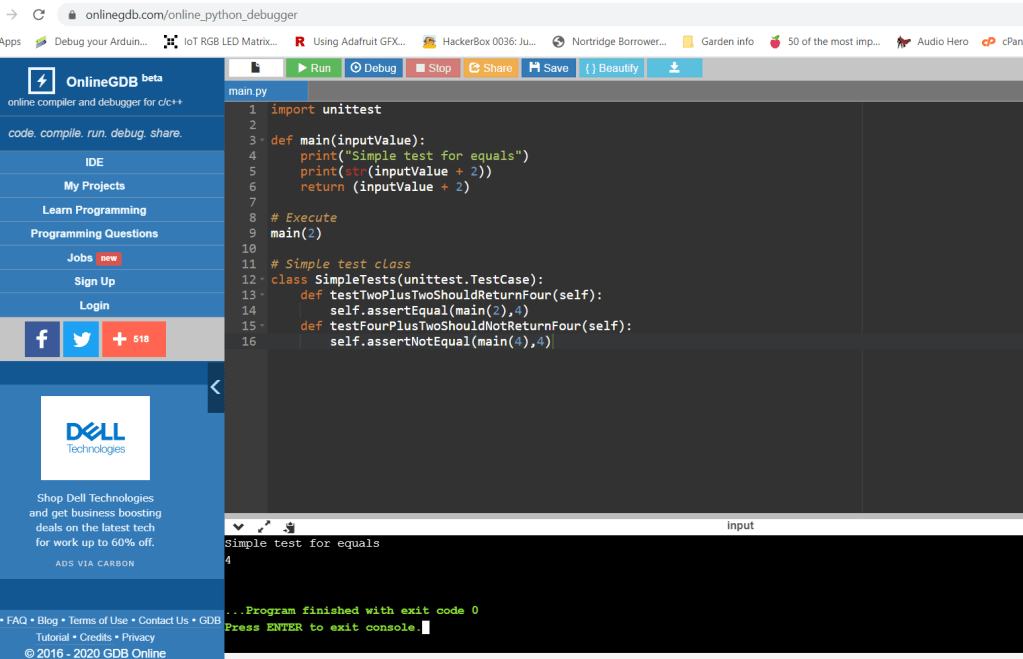
Of course these are simple examples, but it does show you how you can and should think about unit testing your code. For the example code regarding this blog posting, feel free to visit GitHub here: https://github.com/joshsnyder/python-data-science/tree/develop/module9
 Josh's Data Science Blog